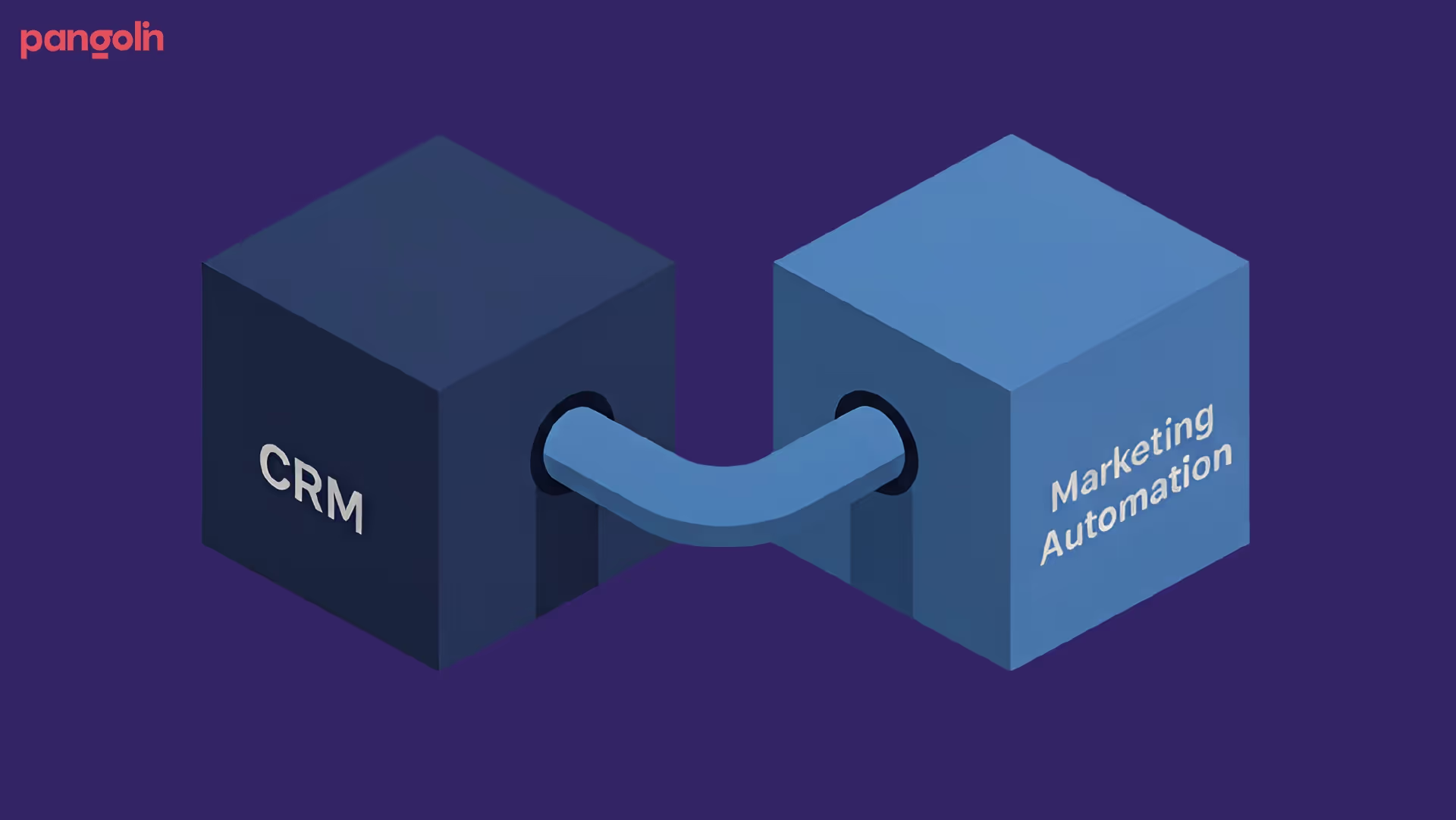
The Problem: Disconnected CRM + marketing automation = data silos, missed leads, invisible ROI, longer sales cycles
The Solution: Integrate systems so data flows seamlessly, leads are scored automatically, handoff happens in minutes, attribution is trackable
The Payoff: Sales cycles compress 15-24%, conversion improves 20-30%, marketing ROI becomes visible (40-50% of closed deals)
The Timeline: 90 days from start to full integration, 6 months to full revenue impact
The Investment: $10,000-$50,000/month in tools, 1 dedicated person managing integration
The ROI: One extra deal per quarter pays for the entire system
In 2014, Microsoft was a company living in two worlds. One half knew about the cloud; the other half didn't.
Sales teams were using outdated CRM data. Marketing was running campaigns in a vacuum. The company's internal silos had become so severe that rival companies were eating their lunch literally closing deals Microsoft should have won. Then Satya Nadella became CEO and did something radical: he broke down the silos by forcing every department to share one truth. One data source. One metric for success.
The result? Microsoft's collaboration improved dramatically. But here's what matters for you: the company fixed revenue. Within a few years, Microsoft went from declining profits to a $3 trillion company. Not because the products changed. Because alignment changed.
Your B2B IT services company likely has the same problem Microsoft had except worse, because your silos are hiding revenue loss.
The Cost of Disconnected Systems: What You're Actually Losing
Let me be direct: If your CRM and marketing automation aren't talking to each other, you're hemorrhaging money every single day.
Here's what that looks like in practice.
Your marketing team runs an email campaign to 1,000 prospects. They spend $5,000 on ads and content to support it. The campaign generates 120 leads. You think: "Great, we got 120 leads for $5K. That's $41 cost per lead."
But here's what's actually happening behind the scenes:
Sales never sees 40 of those leads because they sit in the marketing queue waiting for someone to send them over (nobody remembers). By the time they arrive, those prospects have gone cold. No response to outreach.
Of the 80 leads sales actually receives, 30 are completely unqualified because marketing has no way to score them automatically. Sales spends 2-3 hours per day sorting garbage. Your $150K sales rep is doing data entry work.
Your CFO asks marketing: "Which campaigns are actually generating revenue?" Marketing can't answer. You're using last-click attribution, which gives 100% credit to the sales email and 0% credit to the 18-month nurturing journey that got the prospect there. Marketing looks like a cost center. Next year's budget gets cut by 20%.
Meanwhile, a competitor with integrated CRM + marketing is:
Getting all 120 leads to sales in under 1 hour
Automatically scoring leads so sales only contacts the 45 qualified ones
Tracking every email, download, and ad click back to the deal it actually closed
Reporting to the CFO: "Our campaigns influenced $2.3M in closed revenue this quarter (multi-touch attribution)"
Compressing their sales cycles from 9 months to 5 months
Closing 60% more deals with the same team
You're losing money because your systems are disconnected.
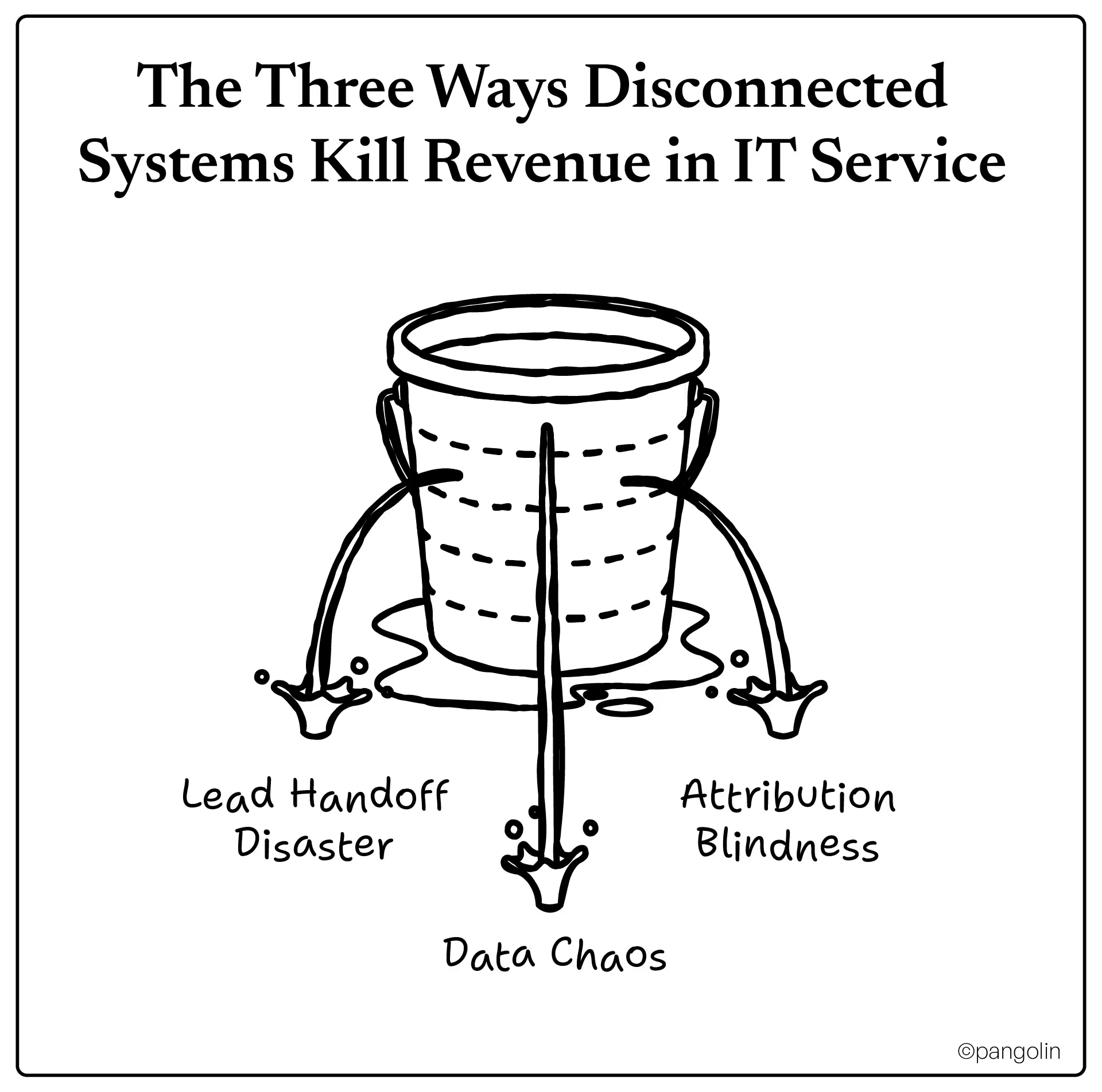
The Three Ways Disconnected Systems Kill Revenue in IT Service
1: Lead Handoff Disaster (The 48 Hour Silent Killer)
Marketing qualifies a lead at 2 PM on Tuesday. Sales doesn't hear about it until 2 PM on Thursday (if they're lucky).
In B2B IT services, response time is everything. Research shows that prospects contacted within 1 hour of initial inquiry are 7X more likely to engage. Wait 48 hours? That lead is gone.
Without integration:
Marketing automation generates lead
Someone manually exports CSV from marketing automation
Someone else imports CSV into CRM (hoping fields match)
Sales rep sees notification 24+ hours later
Prospect has already moved to competitor's website
With integration:
Marketing automation generates lead
CRM is updated instantly (real-time sync)
Sales rep gets notification within 5 minutes
Sales rep sees full engagement history: "Prospect downloaded your pricing guide, visited your case studies 3 times, opened last email"
Sales rep calls with context, sounds like they know the prospect
Conversion rate jumps 30-40%
2: Data Chaos (The Hiddenevenue Leakage)
Your contact "John Smith" exists in 7 different places:
CRM record (Sales created it 6 months ago)
Marketing automation record (Marketing created it last month)
Email list from LinkedIn ads
Manual spreadsheet from last SDR
Two more duplicates from integration errors
One more from a partner referral
Result:
John gets contacted by sales and marketing simultaneously (appears unprofessional)
John gets the same email twice from different addresses
Your database thinks John is 7 different people so he never appears "engaged enough" for follow-up
Sales team doesn't know marketing already had a conversation with John; they cold-call him (wastes time)
You have 1,000 records that are "dead" (bad email, changed jobs, no longer interested)
Your email bounce rate is 12% instead of 2% (damages your sender reputation)
Without integration:
No automated deduplication
Data quality deteriorates by 15-20% annually
Nobody owns data governance; it's everyone's job, so it's nobody's job
60% of CRM implementations fail due to data quality issues
With integration:
Duplicate detection runs automatically
Contacts are matched across systems (by email, phone, company, domain)
When John changes jobs, one update propagates across all systems
Data quality stays 98%+ accurate
Email deliverability stays above 95%
3: Attribution Blindness (Why You Can't Prove ROI)
CEO: "What's the ROI on our marketing spend?"
Marketing (using last-click attribution): "Uh... we generated 500 leads for $50K, so... $100 cost per lead?"
That's not ROI. That's a metric that proves nothing.
Here's the real story nobody's telling:
Prospect sees LinkedIn ad (week 1) - clicks, doesn't convert
Prospect gets retargeting ad (week 3) - views, doesn't click
Marketing can report: "Our campaigns influenced $3.2M in closed revenue, 5.44X ROI"
Next year's budget stays the same or grows
Marketing gets a seat at the revenue strategy table
What Seamless Integration Actually Looks Like
Stop thinking about CRM + marketing automation as two separate things. Think of them as one revenue system.
Here's how the best B2B IT services companies are doing this.
Day 1: Lead Enters the System
Prospect visits your website, fills out a form to download a case study. Single action, unified outcome:
CRM creates lead record instantly
Marketing automation adds prospect to database
Lead scoring engine initializes (+20 points for form fill, +10 for target company size)
Prospect gets first email within 2 minutes
Sales team is notified in real-time: "New form fill from [Company], [Title]"
Week 1-4: Behavioral Engagement
Prospect opens your email (score +5). Clicks to article on IT infrastructure cost reduction (score +10). Downloads ROI calculator (score +15). Visits pricing page (score +25). Total score: 75/100.
Each action:
Is visible to both sales AND marketing
Updates the lead record in real-time
Triggers contextual next steps
Automatically notifies sales when threshold is hit
When lead hits 50 score (sales-ready threshold):
CRM automatically changes lead status from "MQL" to "SQL"
Sales rep assignment rule kicks in (load-balanced to lowest-count rep)
Lead is routed to [Sales Rep Name]'s queue
Sales rep sees: "Prospect visited pricing, opened 4 emails, downloaded 2 resources—they're ready to talk"
Sales rep calls with full context (not cold calling)
Conversion rate: 35-45% (vs. 8-12% for cold outreach)
Week 5-16: Sales Cycle
Sales rep logs all activities in CRM (calls, emails, demos, proposals). Marketing automation sees this and:
Stops sending automated emails (doesn't want to clutter)
Triggers different nurturing (sends more technical content if prospect is in "consideration" stage)
Alerts marketing manager if deal stalls ("No activity for 7 days—trigger re-engagement")
Week 16: Deal Closed
Revenue is logged. Now multi-touch attribution kicks in:
Every touchpoint from day 1 gets credit:
LinkedIn ad view (week 1): 15% credit
Email opens + click (week 2): 20% credit
Download engagement (week 4): 20% credit
Sales demo attendance (week 12): 25% credit
Final push (week 16): 20% credit
Deal is attributed to: "Marketing-influenced revenue ($200K)"
Contributions are tracked by channel: LinkedIn, email, content, paid ads
CFO sees: "Marketing influenced $2.3M in closed revenue this quarter"
Next year's marketing budget is protected (or grows)
The Real Integration Playbook: Step by Step
Here's exactly how to build it.
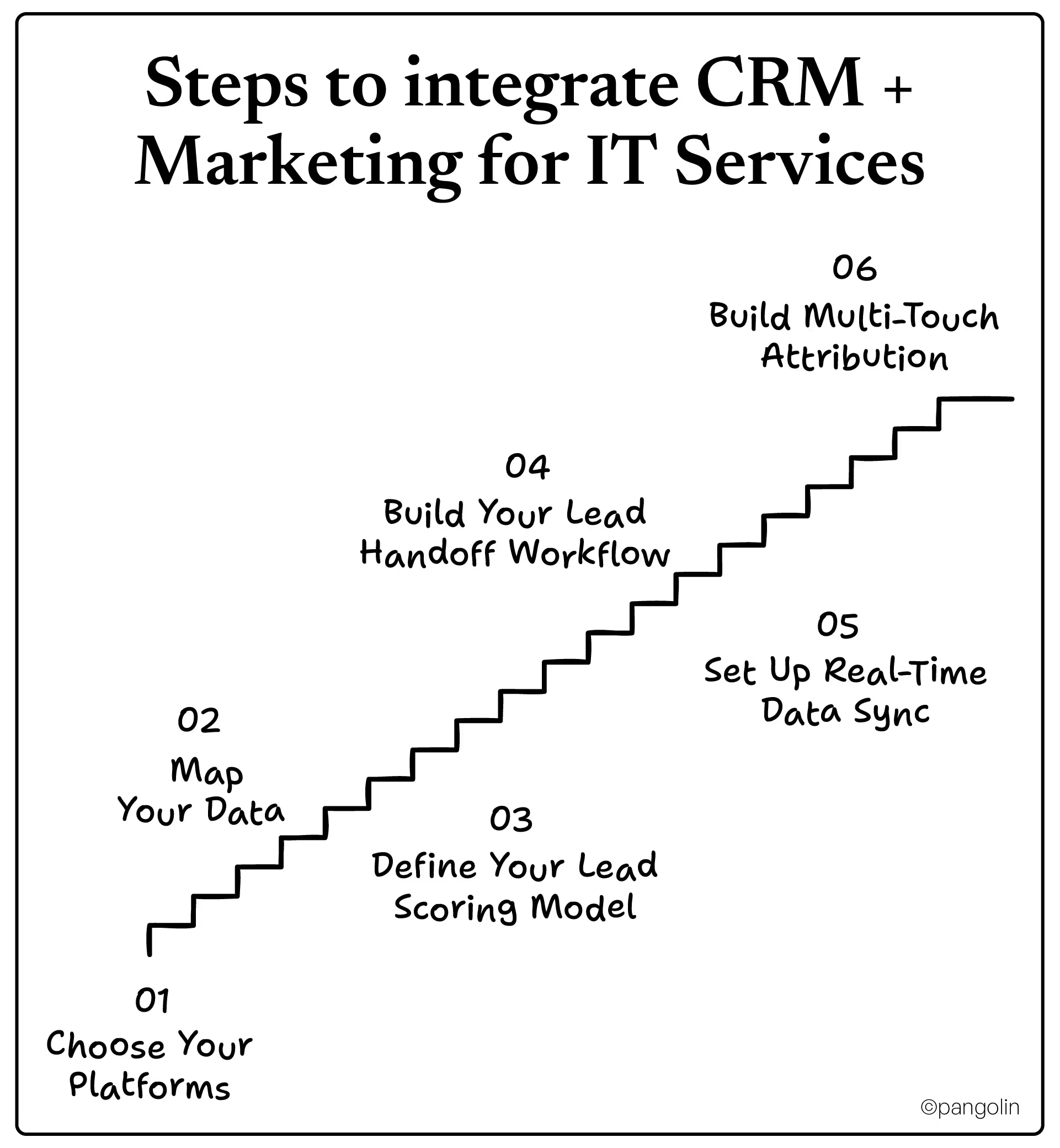
Step 1: Choose Your Platforms
Option A: All-in-One (Easiest to execute)
HubSpot CRM + HubSpot Marketing Hub
Pros: Native integration (no setup), great for SMB, fastest time-to-value (4-6 weeks)
Cons: Less powerful than enterprise platforms, limited customization
Best for: Companies <$20M revenue, small sales teams (5-15 reps), want simplicity
Option B: Best-of-Breed (Most flexible)
Salesforce CRM + Marketo
Pros: Most powerful, highly customizable, scales infinitely
Cons: Expensive ($500K-$2M implementation), takes 6+ months to fully integrate, needs dedicated team
Best for: Companies >$50M revenue, complex sales processes, need advanced personalization
Pros: Enterprise CRM + simpler marketing automation, more affordable than full Salesforce stack, faster deployment than full enterprise
Cons: Some feature gaps vs. Marketo
Best for: Companies $20M-$100M revenue, want Salesforce's CRM power without Marketo complexity
Critical rule: Avoid mixing incompatible tools. Don't use Salesforce + ActiveCampaign + Amplitude. Pick platforms that have native integrations (or use Zapier as a fallback, but that's a band-aid not a solution).
Step 2: Map Your Data
Before you flip the switch on integration, you need to ensure every field maps correctly.
Create a data mapping document:
CRM Field
Marketing Automation Field
Type
Notes
Contact Email
Email Address
Required
Primary key for sync
First Name
First Name
Required
Used in personalization
Company Name
Company
Required
For account-based targeting
Company Industry
Industry
Required
For segmentation
Lead Score
Lead Score
Sync both ways
Updated daily
Lead Status
Lead Status
Sync both ways
MQL → SQL transition
Sales Rep Assigned
Owner
Required
Ownership tracking
Deal Stage
Stage
Sync both ways
Pipeline visibility
Pro tip: If a field exists in one system but not the other, create it BEFORE integration. Trying to add fields mid-integration is chaos.
Step 3: Define Your Lead Scoring Model
Lead scoring isn't magic. It's math. And bad math breaks everything.
Build your scoring framework:
Demographic Score (Who they are):
Target company size ($10M-$100M): +20 points
Target industry (IT, Finance, Pharma): +15 points
Target job title (CTO, VP IT): +25 points
Located in North America: +5 points
Engagement Score (What they do):
Opens email: +3 points
Clicks email link: +5 points
Downloads content: +10 points
Visits pricing page: +20 points
Visits demo page: +25 points
Attends webinar: +15 points
Unsubscribes: -100 points (stops all nurturing)
Recency Score (How recently):
Engaged in last 7 days: +10 points
Engaged in last 30 days: +5 points
No engagement in 60+ days: -5 points per week
Threshold: SQL at 50 points
Why this formula?
Contact from target company = worth more
Recent engagement = more likely to buy NOW
Engagement patterns = genuine interest
Set lead scoring in your marketing automation platform. It should update daily in real-time. If you're updating it manually, you're doing it wrong.
Step 4: Build Your Lead Handoff Workflow
When a lead hits 50 points, automatable things should happen:
Automated workflow (in CRM + marketing automation):
IF Lead Score ≥ 50 AND Lead Status = "MQL" THEN:
1. Change Lead Status to "SQL" (in CRM)
2. Assign lead to sales rep (using round-robin or custom logic)
3. Create task in CRM: "Call SQL - [Name] from [Company]"
4. Send Slack notification to sales rep: "New SQL assigned: [Name] from [Company] - score [##]"
5. Send email to sales rep with lead context (engagement history)
6. Remove lead from automated nurture sequence
7. Add lead to "Active Sales" segment
8. Log timestamp of handoff (for reporting)
Don't do this manually. Every hour a lead sits uncontacted, you lose 7X conversion probability.
Step 5: Set Up Real-Time Data Sync
Your CRM and marketing automation should sync:
Real-time: Lead assignment, lead status changes, deal progression
Salesforce: Use Dreamdata, HockeyStack, or other MTA platform
Report on: "Marketing-influenced revenue" (not just leads)
Example dashboard:
Total closed revenue: $2.4M
Marketing-influenced revenue: $1.2M (50%)
Top channel by influence: Email nurturing (35%)
Second top: LinkedIn ABM ads (30%)
Third: Content downloads (20%)
Sales direct: 15%
This is the number that gets you budget next year.
The Mistakes Everyone Makes (Don't Repeat Them)
You know what integration looks like. Now let's talk about what can still kill it.
Mistake 1: Dirty Data at the Start
The problem: You integrate with 50,000 duplicate records in your CRM. Now duplicates sync to marketing automation. System is broken from day 1.
How to avoid it: Before you flip the integration switch:
Audit your CRM data (use a tool like Integrate.io or manual export)
Identify duplicates (names, emails, companies that appear 2+ times)
Merge duplicates (most CRMs have built-in merge tools)
Remove dead records (bounced emails, wrong info, companies that no longer exist)
Validate company/industry/title data (20% of CRMs have wrong info)
Then integrate
Expected data quality post-cleanup: 95%+
Mistake 2: Over-Automating Without Personalization
The problem: You set up automated sequences but they're generic. Every lead gets the same email regardless of company size, industry, or job title.
Generic email: "Check out our solution" (5% open rate) Personalized email: "Hi John at [Company], we help [Industry] companies reduce IT costs. See how [Similar Company] saved $2M." (35-50% open rate)
How to avoid it: Build dynamic content into your sequences:
Use merge fields (first name, company, job title)
Segment by industry and send vertical-specific content
Use behavioral triggers (not just time-based)
A/B test subject lines and calls-to-action
Mistake 3: Integration Without Sales Buy-In
The problem: Marketing builds the perfect system. Sales team refuses to use it because:
It creates more work for them (entering data)
They don't see immediate benefit
They prefer their old way of doing things
Result: System is technically integrated but behaviorally broken. Sales reps log deals outside the system. Nobody uses the dashboards.
How to avoid it: Get sales leadership involved early.
Week 1: Show sales VP the problem (data chaos, missed leads, poor attribution)
Week 2: Show them the solution and how it makes their job easier (leads arrive with context, score already calculated, high-quality only)
Week 3: Get 2-3 sales rep volunteers to pilot (they become champions)
Week 4: Train full team (with incentives for adoption)
Month 2+: Weekly adoption tracking, celebrate usage (rep who logged most calls, etc.)
Mistake 4: Choosing the Wrong Platform
The problem: You implement Salesforce for a 5-person team. It's overengineered, takes 8 months to set up, costs $300K.
Or you implement HubSpot for an enterprise. By month 12 you outgrow it and need to rip out and replace.
Mistake 5: Implementation Disaster (No Project Management)
The problem: You kick off integration. Nobody owns the process. 8 weeks in, you're behind schedule. Nobody knows why. Costs balloon. Team gets frustrated.
How to avoid it: Treat it like a project.
Assign a project manager (not sales ops person doing this on the side)
Create a timeline with milestones (Week 1: audit, Week 2: field mapping, etc.)
Weekly status updates to stakeholders
Identify blockers early
Build in buffer time (plan for 16 weeks if you think 8)
Realistic timelines:
HubSpot all-in-one: 4-6 weeks to go live
Salesforce + mid-market MAP: 12-16 weeks
Enterprise stack: 6+ months
What Are the Metrics To Measure?
You've integrated. Now what does "working" look like?
By Day 30:
Lead handoff time: <1 hour (vs. 24-48 hours before)
Marketing to sales handoff automation: 80%+ (not manual)
Data sync errors: <2% (occasional mismatches are normal)
Team adoption: 70% of reps using new system daily
By Day 60:
Lead response time: <15 minutes average (best-in-class)
Lead-to-opportunity conversion: +25% improvement
Sales cycle: Starting to show compression (early-stage deals moving faster)
That's 14X pipeline impact from better data and faster handoff.
Is it realistic? Yes. Companies with integrated CRM + marketing automation report exactly this.
Why This Matters for Your B2B IT Services Company
You're competing against vendors who have massive brands and bigger budgets. You can't compete on brand recognition. You can't compete on budget spend.
But you can compete on precision.
Vendors with integrated CRM + marketing automation:
Know exactly who they're talking to (not spray-and-pray)
Reach entire buying committees (not just gatekeepers)
Respond in minutes (not days)
Show personalized, relevant messaging (not generic)
That's a competitive advantage that money can't buy.
This isn't about technology. It's about revenue operations. It's about building a system where marketing and sales are fundamentally aligned, where data flows frictionlessly, where every action cascades automatically.
That's when you stop being a commodity vendor and start being a strategic partner.
One More Thing: Why Pangolin, Specifically?
Building this system is hard. Not technically hard - conceptually hard.
You need someone who understands:
B2B IT services buying cycles (12-18 months, multiple stakeholders)
Revenue operations frameworks (not just marketing automation tricks)
Sales-marketing alignment (how to get both teams working together)
Multi-touch attribution (how to prove marketing ROI)
Implementation without disaster (realistic timelines, change management)
Pangolin's Revenue Automation service integrates your CRM, marketing automation, analytics, and sales workflow into one unified system that:
Reduces revenue leakage by 15-30% (better data, faster handoff)
Shortens sales cycles by 20-30% (warm leads, instant context)
Improves conversion rates by 20-35% (better targeting, personalization)
Proves marketing ROI (multi-touch attribution)
They don't just implement tools. They design your entire revenue system. Then they ensure it's adopted and optimized for your specific business (IT services, not generic SaaS).
If you're ready to move from "we have a CRM and marketing automation" to "we have an integrated revenue machine," Pangolin is worth a conversation.
FAQs
1. Should we do HubSpot or Salesforce? We're a $15M company with 8 sales reps?
2. How long does it actually take to see ROI from integrating CRM + marketing automation?
Our sales team is going to push back on this new system. How do we get them to actually use it?
Can we implement CRM + marketing automation integration without hiring a consultant? Do we have to pay for outside help?