

Once a year, corals across entire reefs release millions of eggs and sperm simultaneously, all within the same few hours. Scientists call it coral spawning. The timing has to be perfect. Too early, and fertilization fails. Too late, and predators devour everything. But when the coordination is right? The entire reef regenerates.
Your lead generation channels need the same precision.
Right now, your LinkedIn ads run independently. Your Google Ads capture some clicks. Your email list sits mostly dormant. Each channel operates in isolation, and that's why your pipeline feels like a slot machine. Sometimes it pays out. Mostly, it doesn't.
Here's the reality: multichannel lead generation boosts response rates by over 40% and lowers cost per lead by 31% compared to single-channel efforts. But most IT consulting firms never see those numbers because they're running three separate campaigns, not one integrated system.
You're brilliant at solving your clients' infrastructure problems. But when it comes to your own lead generation? You're stuck with feast-or-famine referrals and campaigns that don't talk to each other.
This guide shows you how to coordinate LinkedIn, Google Ads, and email into a predictable pipeline engine, so you can finally stop worrying about where next month's revenue is coming from.
Let's start with the uncomfortable truth.
You didn't start your IT consulting firm because you love sales and marketing. You started it because you're exceptional at solving complex technical problems, cloud migrations, cybersecurity hardening, digital transformation. But building a firm means you need a steady flow of qualified leads, and that's where most technical founders hit a wall.
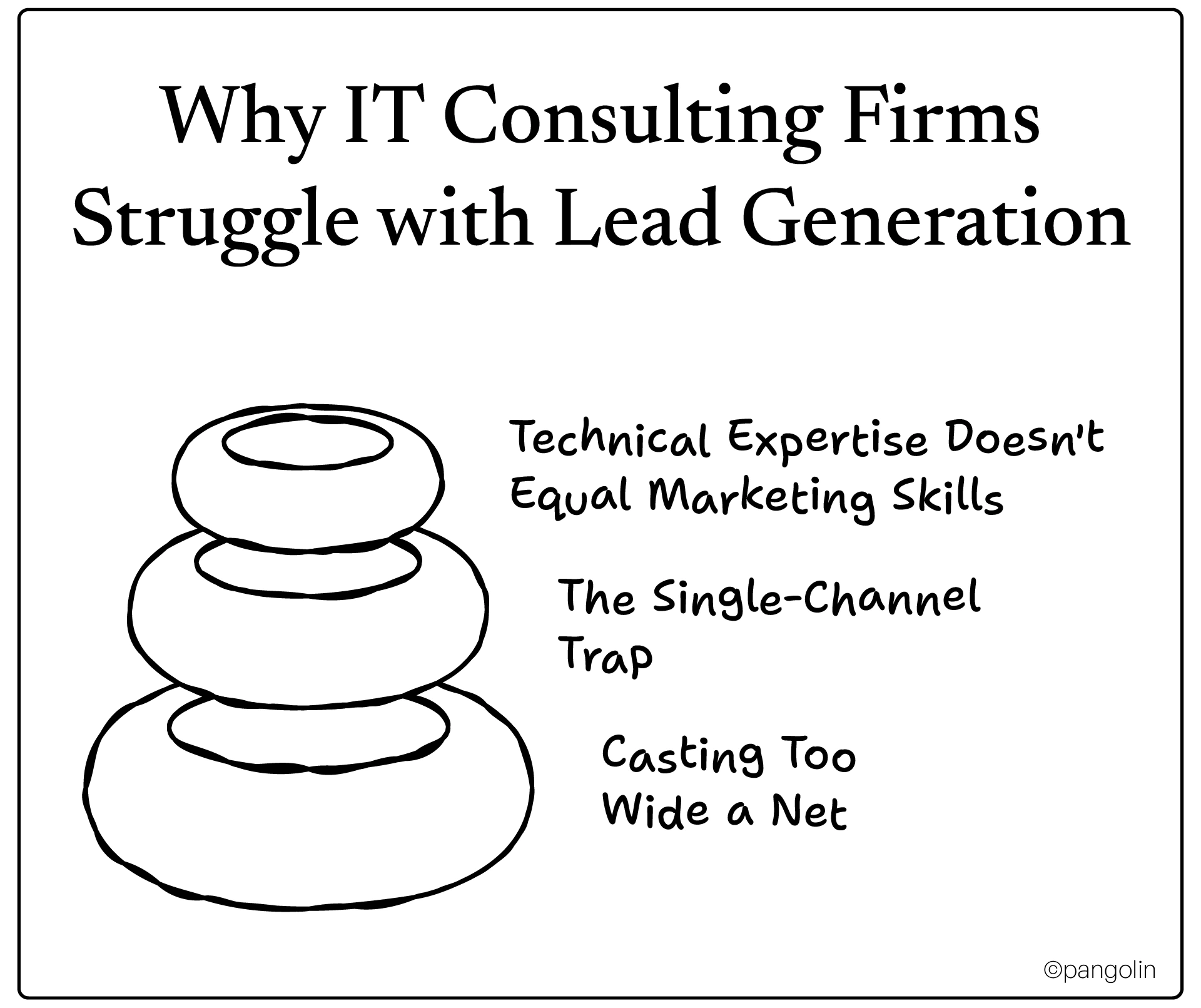
You can architect a multi-region cloud deployment in your sleep. But when it comes to running effective ad campaigns or nurturing cold leads through email sequences? That's a different skill set.
And here's the thing: you don't have time to become a marketing expert. Your days are filled with client delivery, team management, and firefighting technical issues. Marketing becomes an afterthought, something you "should do" but never systematically execute.
So you try something. Maybe you run some LinkedIn ads. Maybe you dabble in Google Ads. Maybe you send occasional newsletters.
Each channel delivers some results. But nothing consistent. Nothing scalable. And definitely nothing that feels like a predictable pipeline.
The problem isn't the channels themselves. It's that they're working in isolation. A prospect sees your LinkedIn ad, doesn't click. Later, they search for your service on Google, land on your site, and bounce. Weeks later, they get an email from you, but they've forgotten who you are.
Three disconnected touchpoints that never build momentum.
When leads dry up, the instinct is to broaden your targeting. "Let's target all companies that need IT consulting!"
Bad move.
IT consulting is a trust-based, high-consideration purchase. Decision-makers need to believe you understand their specific challenges, their industry, their tech stack, their compliance requirements. Generic messaging aimed at "everyone" signals that you understand no one.
You end up paying for clicks from companies that will never buy. Your cost per lead skyrockets. Your sales team wastes time qualifying dead-end prospects.
IT consulting firms often cast too wide a net, resulting in irrelevant traffic and low-quality leads that drain resources.
Here's what changes when you stop running isolated campaigns and start coordinating channels.
Let's talk numbers:
And the ROI benchmarks for each channel when properly executed?
Those aren't aspirational numbers. They're achievable when your channels work together.
Each channel has a unique strength. The magic happens when you orchestrate them.
LinkedIn builds awareness with decision-makers you can't reach any other way. You're targeting CTOs, IT Directors, and VPs of Engineering by job title, company size, and industry. No other platform offers that precision for B2B.
Google Ads captures high-intent demand when prospects actively search for solutions. When someone types "cloud migration consultant for healthcare," they're not browsing, they're evaluating vendors. 67% of initial B2B research touchpoints happen via Google.
Email nurtures relationships over time. IT consulting sales cycles can stretch 3–12 months. Email keeps you top-of-mind, educates prospects, and moves them from "interested" to "ready to talk". And 72% of customers prefer email when brands communicate with them.
Here's the coordination model that works:
LinkedIn builds awareness → Google Ads captures demand → Email nurtures to conversion
One integrated system, not three random tactics.
Your prospects don't make decisions in a single session. They research across 10+ channels before ever contacting you.
They see your LinkedIn post. They Google your services. They read your case studies. They check reviews. They compare competitors. They subscribe to your newsletter. They attend your webinar.
Each touchpoint is a data point building trust. But if those touchpoints contradict each other, or worse, don't exist, you lose the deal to a competitor who's present and coordinated across the journey.
85% of business buyers value seamless engagement across channels as much as product quality itself.
Before we dive into integration, let's clarify what each channel does best, and where it falls short alone.
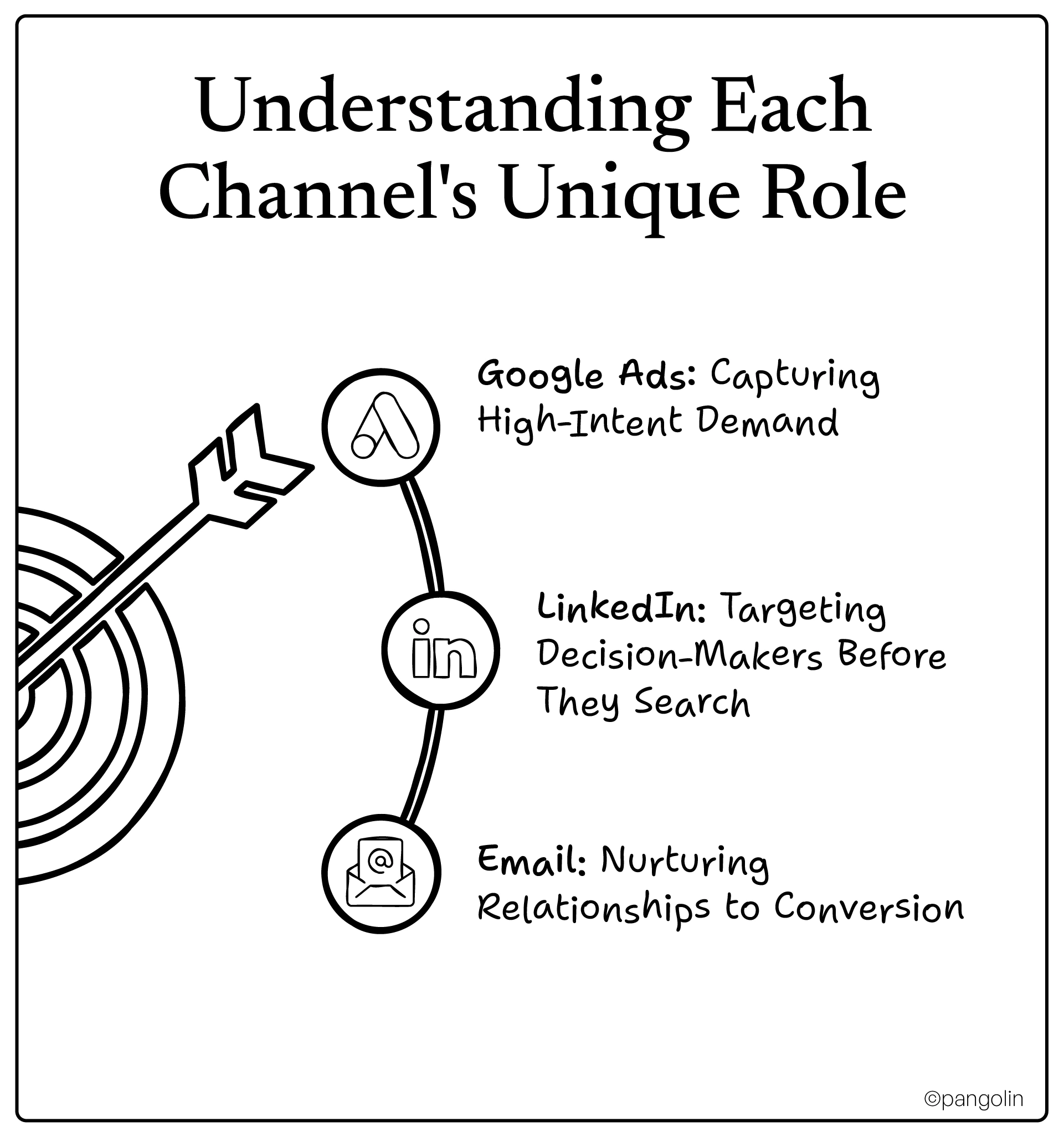
Google Ads is your bottom-funnel workhorse. It captures people who already know they have a problem and are actively searching for solutions.
When someone searches "cybersecurity audit for financial services," they're not casually browsing. They have budget. They have urgency. They're comparing vendors right now.
67% of B2B buyers start their research on Google. If you're not there when they search, you don't exist.
Well-optimized Google Ads campaigns deliver $2–$7 for every $1 spent. The best campaigns, tight targeting, strong landing pages, clear CTAs, can hit 700% ROI.
Google can't create demand. It can only capture it. If no one's searching for your specific services in your specific market, Google Ads won't manufacture leads out of thin air.
And Google can't tell you who is searching. You get anonymous clicks, not named accounts with org charts.
That's where LinkedIn comes in.
LinkedIn is your top-of-funnel awareness engine. It lets you target the exact people who make IT consulting decisions, before they even realize they need you.
LinkedIn's targeting is unmatched for B2B. You can filter by:
No other platform lets you say, "Show my ad only to CTOs at 200–500 person SaaS companies in the US." That's surgical precision.
LinkedIn leads are higher quality than other social platforms. The cost-per-lead is higher, but conversion rates and deal sizes make up for it.
45.2% of IT services companies plan to invest more in LinkedIn outreach in 2025, because it works.
LinkedIn is expensive. Cost-per-click can run $6–$12 (compared to $2–$4 on Google for similar B2B keywords).
And LinkedIn alone won't close deals. It builds awareness and credibility, but prospects still need nurturing. That's where email enters.
Email is your middle-and-bottom-funnel glue. It keeps prospects engaged during long sales cycles, educates them, handles objections, and drives them toward demos and consultations.
Email is personal, persistent, and scalable. You can segment by industry, persona, engagement level, and journey stage. You can automate sequences that adapt based on behavior.
And the ROI? $36 for every $1 spent. No other channel comes close.
Email can't create awareness. If prospects don't know you exist, they won't subscribe to your list. And cold email to purchased lists? That's a fast track to spam folders and brand damage.
You need LinkedIn and Google Ads to fill the top of your funnel. Then email takes over to nurture.
Now let's put it all together. Here's how to coordinate LinkedIn, Google Ads, and email into one seamless lead generation system.
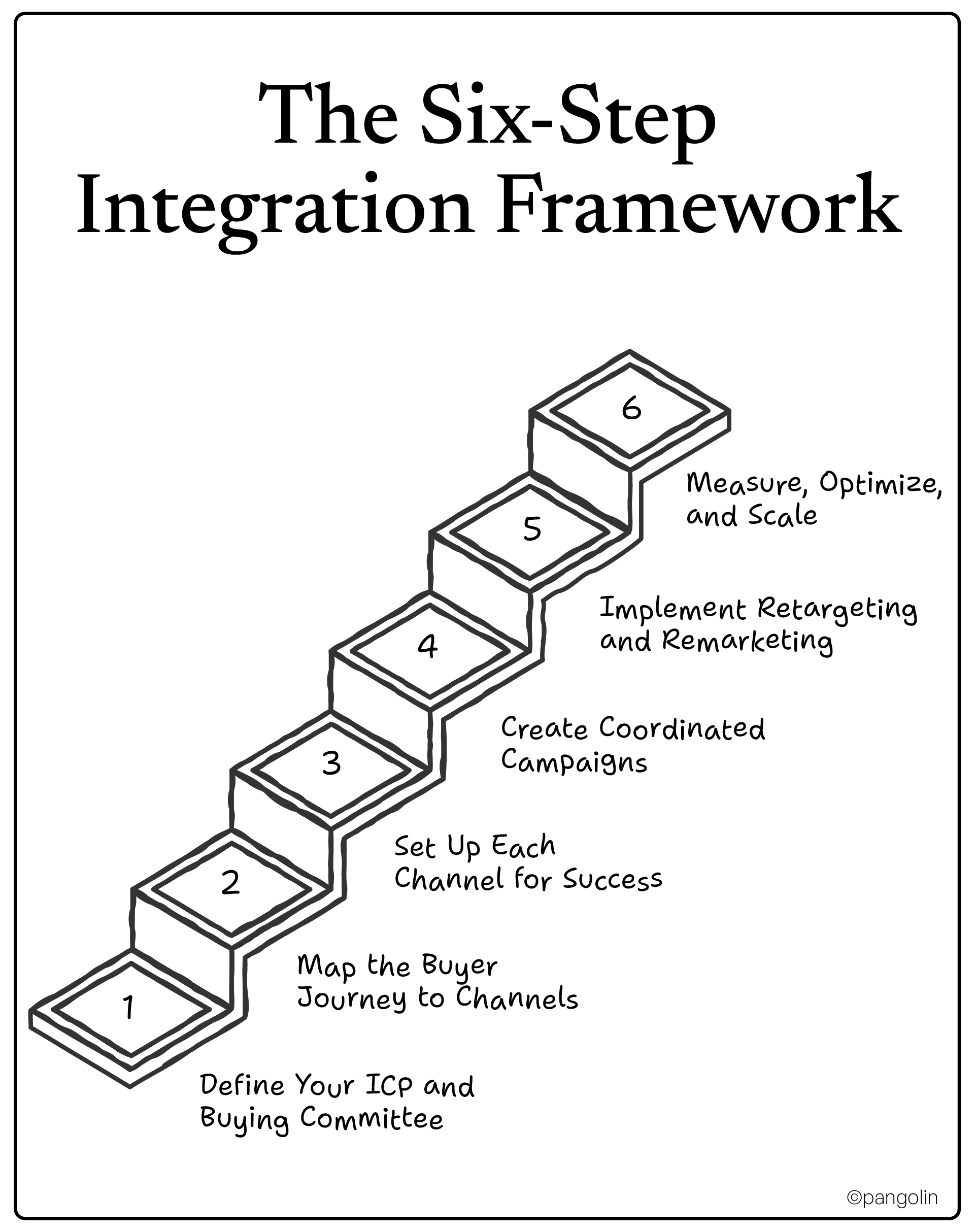
Most IT consulting firms fail at targeting because they skip this step. They think, "We help companies with IT." That's not an ICP. That's everyone.
Start with your best current clients. What do they have in common?
The tighter your ICP, the better your targeting, and the lower your cost per lead.
IT consulting purchases involve 6–10 stakeholders:
Each persona has different priorities. Your messaging needs to address all of them, just not all at once in the same channel.
Different channels serve different stages. Here's how to align them:
Notice the coordination: LinkedIn introduces the problem. Google captures active searches. Email nurtures through consideration and decision.
Now let's get tactical. Here's how to configure each channel specifically for IT consulting lead gen.
Keyword Strategy:
Focus on high-intent, long-tail keywords that signal buying readiness:
Targeting:
Landing Pages:
Message match is critical. If your ad says "Cloud Migration for Healthcare," your landing page headline better say the same thing, not "IT Consulting Services".
Audience Targeting:
Use Matched Audiences to retarget:
Layer in manual targeting:
Ad Formats:
CRM Integration:
Sync LinkedIn Lead Gen Forms with your CRM (HubSpot, Salesforce) using native integrations or Zapier. Leads should flow automatically into nurture sequences, no manual CSV uploads.
List Segmentation:
Segment by:
Automation Sequences:
Build behavior-triggered sequences:
Personalization:
Use merge tags beyond just {FirstName}. Reference their industry, company size, or specific pain points. Personalized emails generate 6× higher transaction rates.
Here's where integration becomes real. Let's walk through a campaign sequence.
Week 1–2: LinkedIn Awareness
Week 3–4: Google Ads Retargeting
Week 5–8: Email Nurture
Ongoing: Cross-Channel Retargeting
Every channel should reinforce the same core promise and value pillars. If your promise is "Cloud migrations without downtime or budget overruns," every ad, email, and landing page should echo that.
Don't confuse prospects by saying "fast migrations" on LinkedIn, "cost-effective migrations" in Google Ads, and "secure migrations" in emails. Pick one primary benefit, prove it, then layer in secondary benefits.
Retargeting is the force multiplier that makes multi-channel integration work. Here's how to layer it.
Someone searches for your services on Google, visits your site, doesn't convert. That's normal. Most B2B buyers need 10+ touchpoints before they act.
Retarget them with LinkedIn Message Ads. These are highly personal, high-open-rate ads that land directly in their LinkedIn inbox.
Performance lift: +36% conversion rate when you retarget Google visitors with LinkedIn.
Flip it. Someone engages with your LinkedIn ad but doesn't convert. Add them to a Google Display Ads retargeting audience.
Show them ads across the Google Display Network reinforcing your offer.
Upload your email list to Google and LinkedIn as a Custom Audience. Run ads specifically to people already on your list, reminding them of offers they haven't acted on.
Here's a sneaky tactic: Use Google Ads search query data to inform your LinkedIn messaging.
If "cloud security audit" is your top-performing Google keyword, test LinkedIn ads with headlines like "Is Your Cloud Security Audit-Ready?" That keyword-to-message alignment can boost LinkedIn response rates by +18%.
You can't improve what you don't measure. Here's what to track, and what to ignore.
Google Ads:
LinkedIn:
Email:
Channel-level metrics are interesting. Pipeline metrics are critical:
Don't fall into the last-click trap. Last-click attribution gives all credit to the final touchpoint, usually a Google branded search or direct email, and ignores everything that came before.
Use multi-touch attribution to see the full journey:
Most CRMs (HubSpot, Salesforce) offer multi-touch reporting. Use it.
A/B test everything:
Refine targeting based on disqualification data: If your sales team keeps rejecting leads from a specific industry or company size, stop targeting them. Tighten your ICP.
Scale winning campaigns: When a campaign hits your ROI target (e.g., 5:1 ROMI), increase budget incrementally, but watch for diminishing returns.
Let's talk about the real numbers you can expect when you coordinate channels properly.
Based on industry data, here's what coordination delivers:
These aren't theoretical. These are measured improvements from B2B firms that integrated LinkedIn, Google Ads, and email.
Notice: email has the highest ROI. But it only works if LinkedIn and Google feed the top of your funnel.
Even with the right strategy, execution trips up most IT consulting firms. Here's what to avoid.
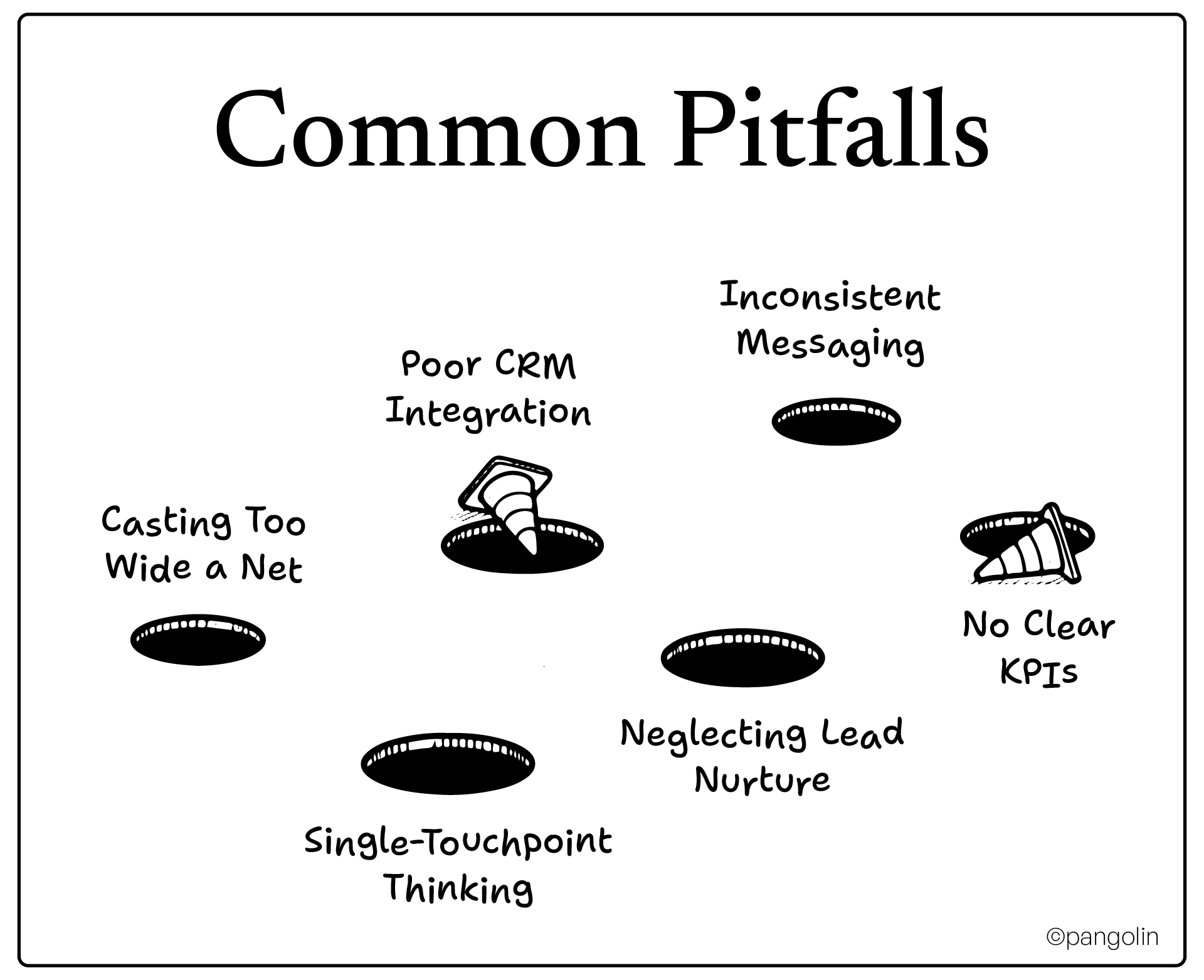
You target "all companies with IT needs" and wonder why your leads suck.
Fix: Niche down ruthlessly. Target one industry, one company size, one specific pain point. Own that niche, then expand.
Your LinkedIn leads go to a spreadsheet. Your Google Ads leads go to a different form. Your email list lives in Mailchimp. Nothing syncs.
Fix: Choose one CRM (HubSpot, Salesforce, Pipedrive) and integrate everything. LinkedIn Lead Gen Forms → CRM. Google Ads conversions → CRM. Email automation → CRM.
Your LinkedIn ad promises "fast migrations." Your Google landing page emphasizes "secure migrations." Your email talks about "cost-effective migrations".
Pick. One. Core. Benefit. Support it across all channels.
You run ads, get clicks, expect conversions. When prospects don't convert immediately, you assume the channel failed.
B2B buyers need 10+ touchpoints. One ad isn't enough. Build sequences.
You capture leads, pass them to sales, and forget about them when they don't close immediately.
Fix: Build automated nurture tracks. If someone doesn't convert in 30 days, move them to a long-term education sequence. Re-engage them quarterly with new offers.
You're "doing marketing" but can't articulate what success looks like.
Fix: Define success metrics before launching campaigns. Example: "Generate 50 SQLs per month at $200 CPL with 25% SQL-to-close rate".
You don't need to build the entire system overnight. Start with a pilot.
Define your ICP:
Audit current efforts:
Set channel goals:
Google Ads:
LinkedIn:
Email:
CRM sync:
Retargeting setup:
Content calendar:
Go live:
Daily check-ins (first 7 days):
Week 4 review:
You don't need a bigger marketing budget. You need coordinated channels.
When LinkedIn builds awareness, Google captures demand, and email nurtures to conversion, you're not just generating more leads. You're building a predictable pipeline that feeds your sales team qualified prospects month after month.

Your competitors are already doing this. The IT consulting firms scaling past $5M, $10M, $20M in revenue? They're not relying on referrals and conference networking. They've built integrated lead engines that work while they sleep.
You can too.
Start with the 30-day pilot. Prove the model. Then scale.
Budget allocation depends on your firm size, growth stage, and ICP. A balanced starting framework for IT consulting firms is 40% Google Ads, 35% LinkedIn, and 25% email/automation tools. Google Ads captures high-intent demand and typically delivers faster ROI ($2–$7 per $1 spent). LinkedIn costs more per lead ($50–$200 CPL vs. $100–$300 for Google) but delivers higher-quality decision-maker leads. Email has the highest ROI at $36 per $1 spent, but requires top-funnel channels to fill your list. As you gather data, shift budget toward channels delivering the best lead quality and conversion rates. Early-stage firms should start with $3,000–$5,000/month minimum split across all three to get meaningful data.
You can run them independently, but you'll miss the performance multiplier that integration delivers. Multichannel campaigns coordinated together boost response rates by over 40% and lower cost per lead by 31% compared to single-channel or siloed efforts. Integration means using LinkedIn to build awareness with decision-makers, retargeting those LinkedIn visitors with Google Ads, and nurturing all leads through automated email sequences. Companies with strong omnichannel strategies retain 89% of customers compared to just 33% for weak multi-channel approaches. The channels amplify each other, Google captures demand LinkedIn creates, and email converts leads both channels generate.
Timeline expectations vary by channel and coordination level. Google Ads can deliver leads within 1–2 weeks once campaigns are optimized, though quality improves over 30–60 days as you refine targeting. LinkedIn typically takes 4–8 weeks to generate momentum, as brand awareness and credibility build gradually. Email nurture shows engagement within days, but SQL conversion takes 30–90 days for complex IT consulting sales cycles. For integrated campaigns, expect initial engagement improvements in 1–2 months, qualified lead growth in 3–4 months, and significant pipeline impact in 5–6 months. The key is starting with a 30-day pilot to prove the model, then scaling what works.
The biggest mistake is casting too wide a net without a clear ICP, resulting in high-volume, low-quality leads that waste sales time. IT consulting firms often target "all companies that need IT help" instead of niching down to specific industries, company sizes, and pain points. Other critical mistakes include running channels in silos without CRM integration (leads fall through cracks), using inconsistent messaging across channels (confusing prospects), expecting immediate conversions without multi-touch nurture sequences, and neglecting to track multi-touch attribution (only crediting last-click). The fix: start with a tight ICP, integrate all channels into one CRM, maintain consistent messaging, and build automated nurture tracks.
LinkedIn offers native integrations with major CRMs like HubSpot, Salesforce, and Marketo that sync Lead Gen Form submissions automatically. For other platforms, use integration tools like Zapier or LeadsBridge to connect LinkedIn to your CRM and email platform. The setup process involves connecting your LinkedIn Campaign Manager account to your integration tool, mapping LinkedIn form fields to CRM fields (name, email, company, title), and setting up automated workflows that trigger email sequences when new leads submit forms. This eliminates manual CSV exports and ensures leads enter nurture tracks immediately. Test the integration thoroughly before launching campaigns, submit test leads to verify data flows correctly and automation triggers fire as expected.
Start with Google Search Ads for high-intent demand capture, these ads appear when prospects actively search for your services. Search Ads deliver better conversion rates and ROI for bottom-funnel keywords like "cloud migration consultant" or "cybersecurity audit services". Once Search campaigns prove profitable, layer in Google Display Ads for retargeting. Display Ads keep your brand visible to people who visited your site but didn't convert, showing them ads across millions of websites in the Google Display Network. The most effective approach sequences them: Search Ads capture initial interest → Display Ads retarget non-converters → LinkedIn Message Ads re-engage warm leads. Avoid Display Ads for cold prospecting, they work best for remarketing to known audiences.
Effective IT consulting email sequences match content to journey stage and persona. For awareness-stage leads (whitepaper downloaders, webinar attendees), use a 5–7 email sequence over 14–21 days: Email 1 delivers the promised resource, Email 2 shares a related case study, Email 3 offers a secondary resource (ROI calculator, assessment), Email 4 invites to a webinar or demo, and Email 5 provides a direct consultation offer. For consideration-stage leads (demo attendees, pricing page visitors), shorten the sequence to 3–5 emails over 7–14 days with stronger calls-to-action. Personalize based on industry, company size, and role, CTOs need technical depth, CFOs need ROI justification, IT Managers need implementation details. Use behavior triggers: if someone clicks a case study link, send related case studies; if they visit pricing, send ROI proof points.
First, install the LinkedIn Insight Tag on your website to track visitors. In LinkedIn Campaign Manager, create a Matched Audience using website retargeting and set parameters (e.g., "visited within last 30 days," "visited pricing page"). Then create a Message Ad campaign targeting this audience with personalized InMail that references their website visit. Example: "I noticed you checked out our cloud migration services. Want to see how we helped [Similar Company] migrate without downtime?". This Google-to-LinkedIn retargeting approach delivers a +36% conversion rate lift because it combines high-intent behavior (Google search) with personalized outreach (LinkedIn InMail). Keep Message Ads highly targeted and valuable, overuse damages sender reputation.
Track both channel-level metrics and pipeline contribution metrics. For channel performance, monitor cost per lead (Google: $100–$300, LinkedIn: $50–$200), MQL-to-SQL conversion rate (target 50–60%), and channel-specific ROI (Google: 200–700%, Email: 3,600%). For pipeline contribution, measure marketing-sourced pipeline percentage (target 30–60% of total revenue pipeline), average deal size by source (which channels bring bigger deals?), and sales cycle length by source (do certain channels accelerate deals?). Use multi-touch attribution to show how channels work together, avoid last-click attribution that only credits the final touchpoint. Present findings in terms leadership cares about: "Our LinkedIn campaigns generated $450K in pipeline at 22% close rate, delivering $99K in closed revenue against $15K ad spend, that's 6.6:1 ROMI"

